Personal and small-business finances

See where your money went.

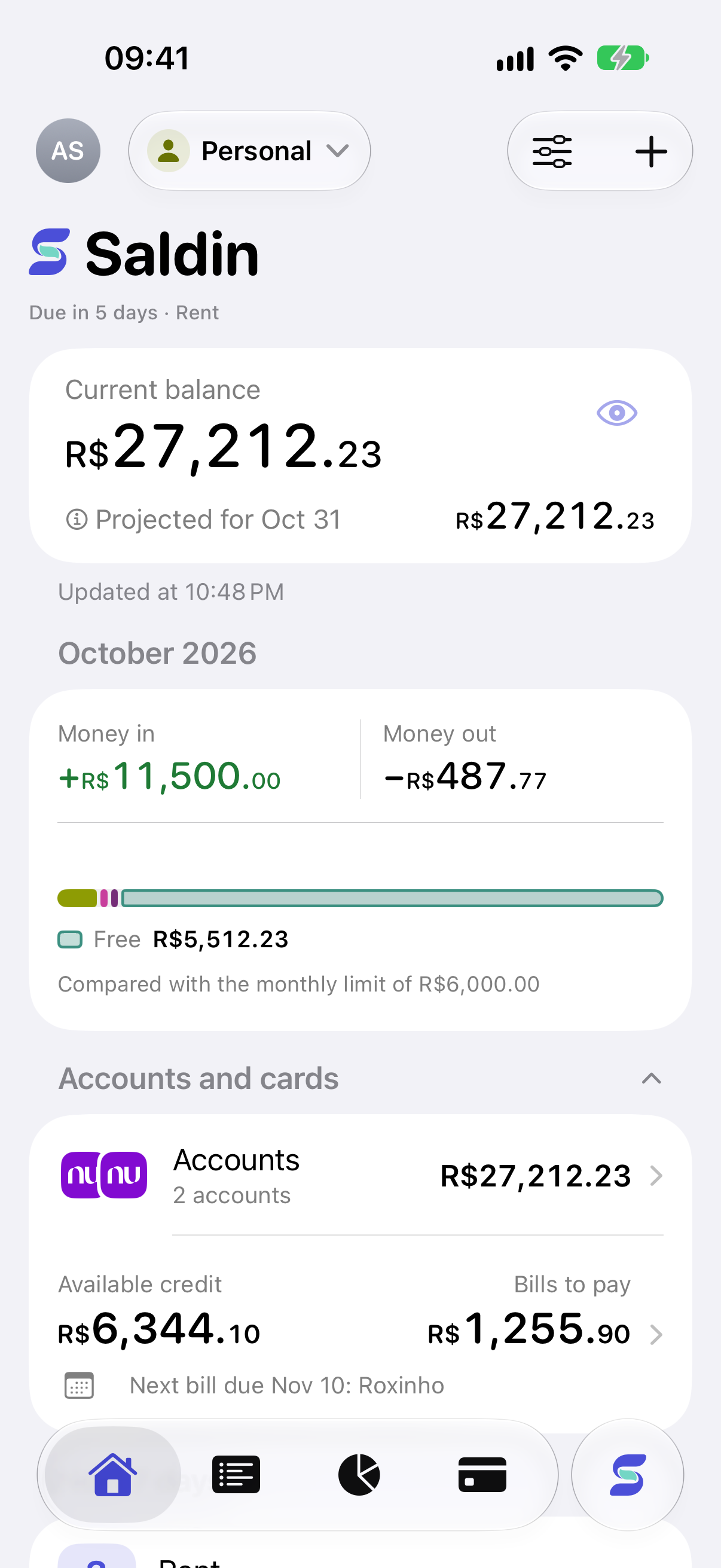
See what you have now, what is still going out, and what is left at month end.

Download freeFor iPhone · Free plan available
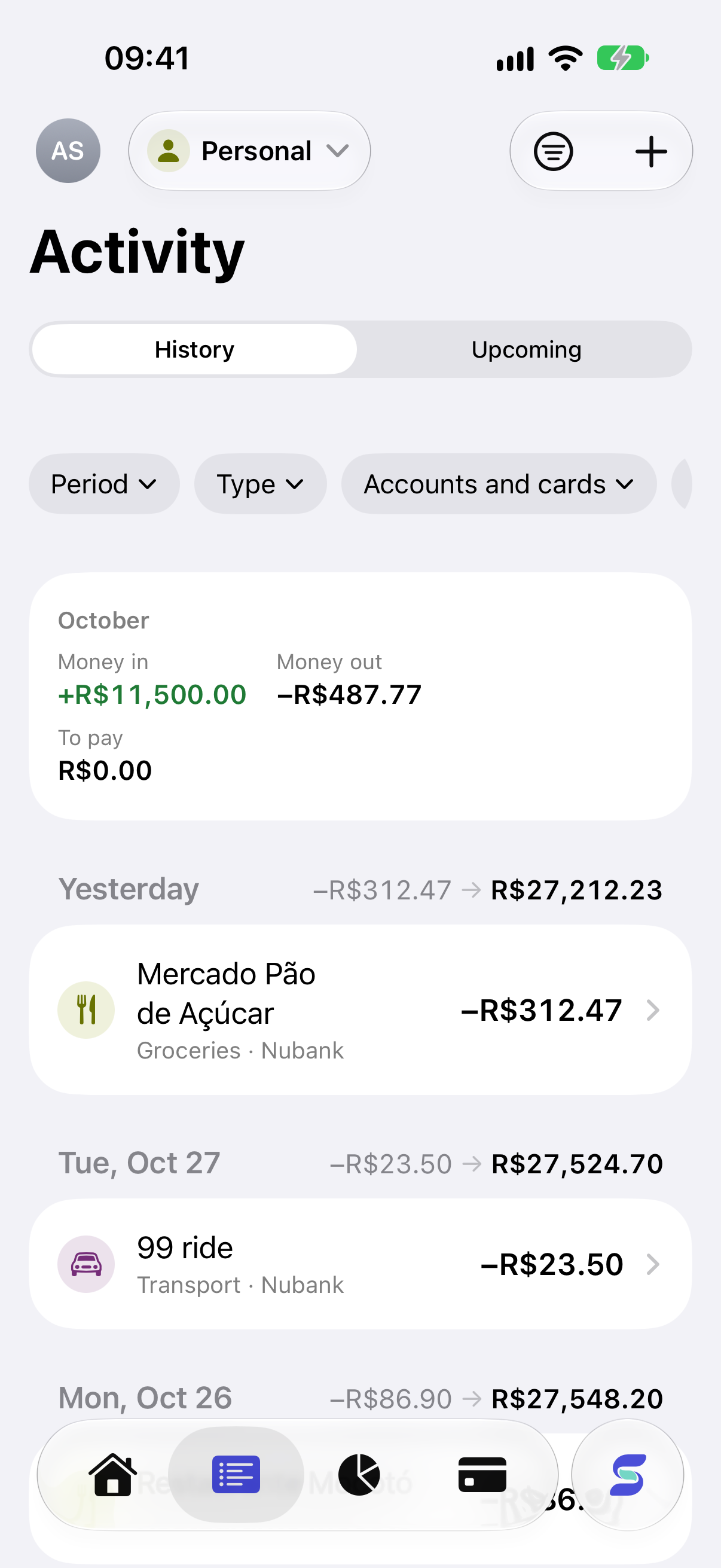
Saldin home with balance, commitments, and month-end projectionSaldin transaction history and card bills

Your whole month on one screen

No surprises on the 30th.

Saldin monthly projection and spending bar

What went out, what is coming, and how the month should end.

Open the app and you know whether you are fine or should hold off on that purchase.

  • Accounts and cards together, even in other currencies
  • Bills to pay and card statements on the way
  • How much you can still spend this month
Saldin transaction history and card bills

Start wherever you are

Log it now or bring your history.

Add income and expenses by hand, or import CSV, OFX, and Excel statements. Saldin does not connect to your bank yet.

  • Check everything before it is imported
  • Take your data with you whenever you want
  • Saldin only keeps track. It never moves your money
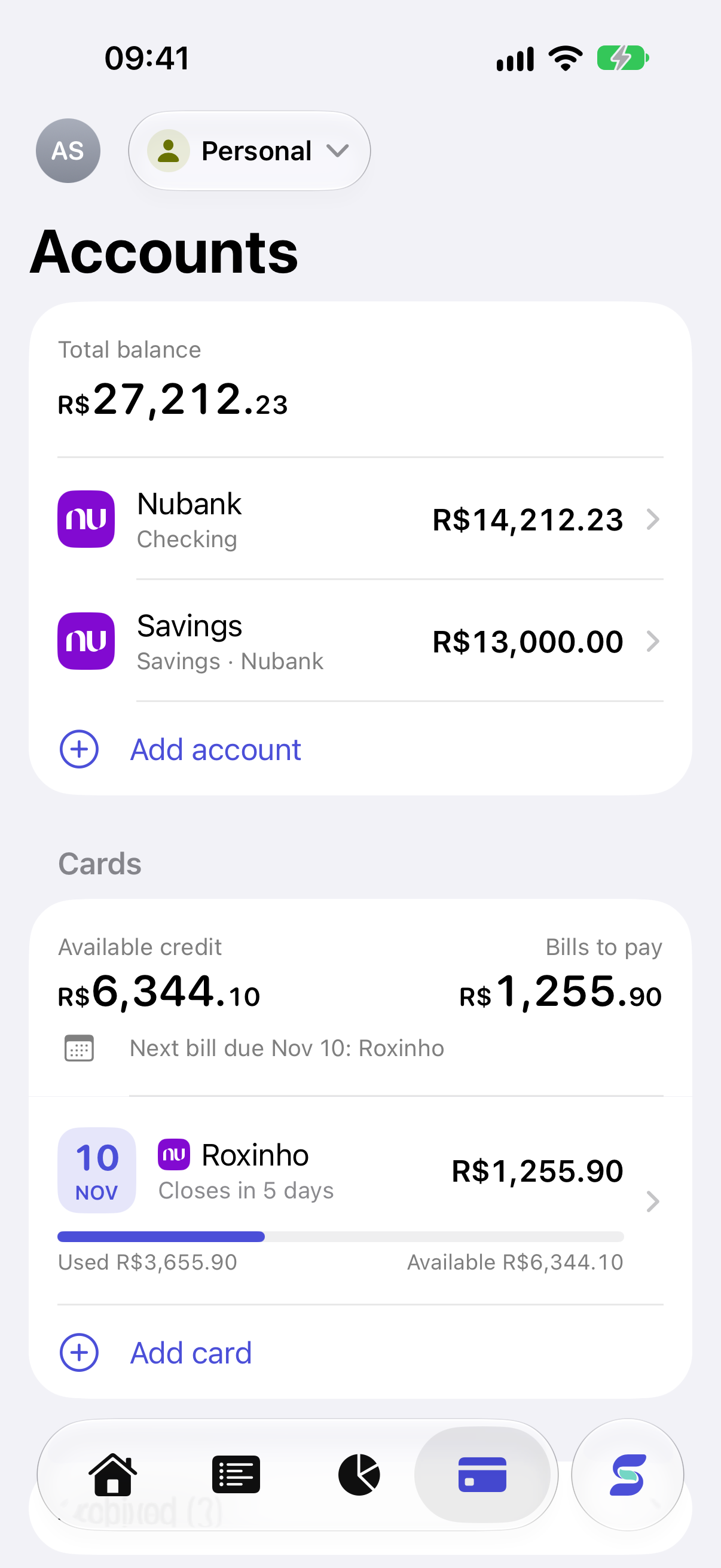
Cards, bills, and available credit in Saldin

Cards and installments

Bought in installments? Each one lands on the right bill.

See what you have paid, what is left, and which bill it falls on, without counting a purchase twice.

  • Open, closed, and paid bills
  • Installments, refunds, and partial payments
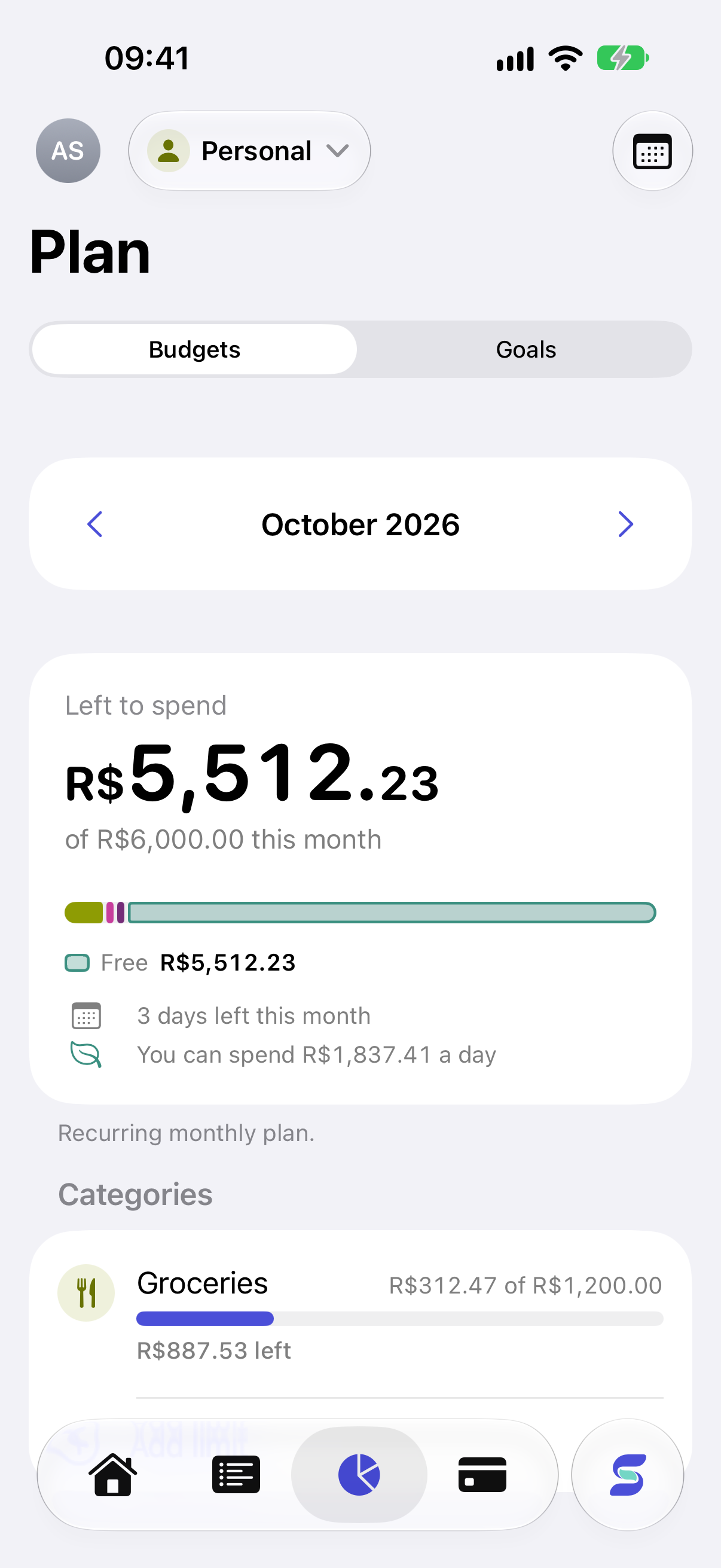
  • Your month planned around the bill due in it
Monthly budget and amount remaining in Saldin

Planning

Know if it fits before you spend.

Set budgets and goals, add what repeats every month, and get a reminder before anything is due.

Saldin Pro

Ask about your money the way you would ask a friend.

AI stays off until you allow it. If you connect ChatGPT, you pick which profiles it sees and can disconnect anytime.

“What is still due this month?”
“Which installments are in my next bills?”
“Where did my spending increase?”

When you need it

Keep business money out of your personal money.

Each profile has its own accounts, cards, and reports, all under one sign-in.

Your data

You decide what leaves the app.

Your numbers are not our stats

Amounts, descriptions, and what you ask the AI stay out of our usage metrics.

AI only if you want it

It starts off. You turn it on and decide what each connection can reach.

Leaving is easy

Export everything, disconnect assistants, and delete your account right in the app.

Free and Pro

Free to use. No time limit.

Free already covers tracking, imports, cards, and planning. Pro adds unlimited accounts and profiles, AI, and assistant connections.

Common questions

Before you download

Does Saldin connect to my bank account?

Not yet. You add things by hand or import files from your bank and card.

What happens if Pro ends?

Nothing disappears. You can still see and edit everything. Only AI, integrations, and adding accounts, cards, or profiles past the Free limits stop until you come back.

Where do I subscribe to Pro?

In the app, through the App Store. You see the final price before confirming.

Want to see where your money went?

Download free
Download free